Did your tracking survive the deploy?
Paste your URL. See which pixels fired, which didn't, and what fired before consent — in a real browser, in 30 seconds, no signup.
Free 60-second audit, no signup. Public pages only; reports are unlisted and noindex by default. We never see your forms, your users, or your data.
We audited 49 fresh Show HN launches in June 2026 — 38 had a critical bug on day one.
What we check
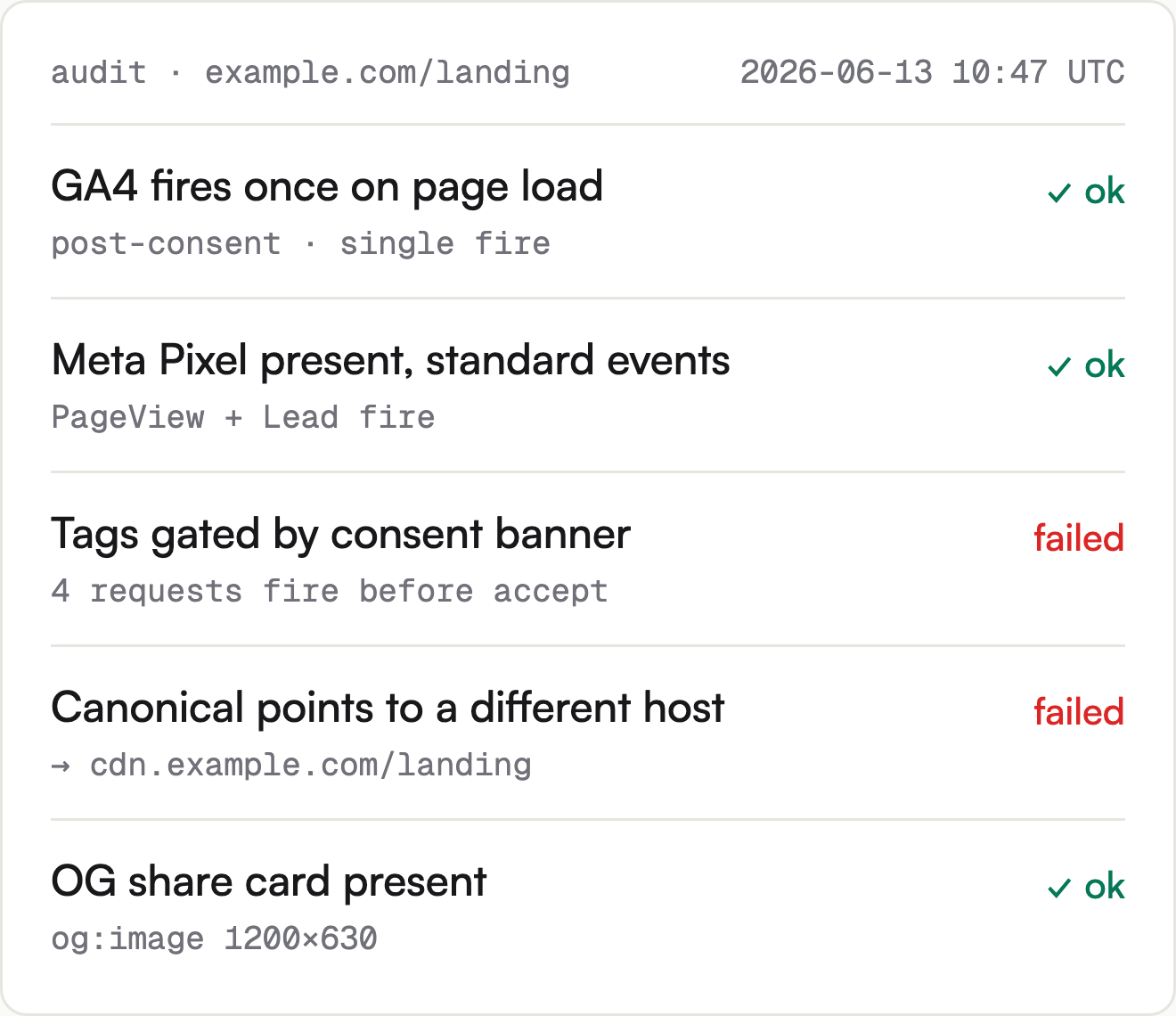
The buyer's view: where marketing measurement actually breaks between a deploy and the dashboard. The audit replays your page in a real browser and reports what fires, what doesn't, and what fires too early.
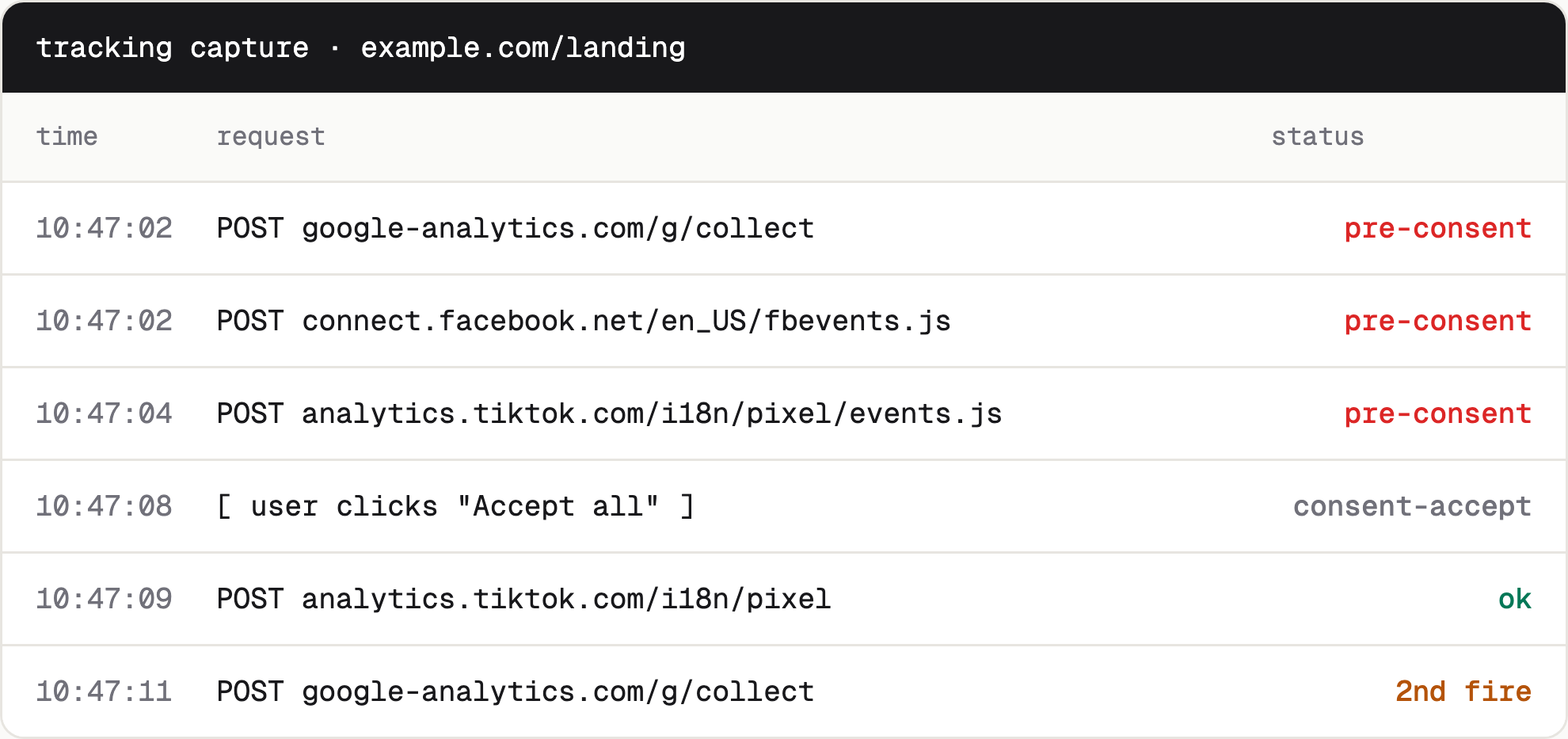
- Tags firing before consent We replay your consent banner's accept / reject flows and report every request that fires before the user accepts. Non-compliant in EU/UK under TCF v2.2 and Consent Mode v2.
- Fires in preview, doesn't fire live GTM Preview shows green; we check whether the live site actually receives the same hits. The most common cause: hardcoded + GTM dueling.
- Firing twice / firing multiple times
Your
purchaseevent should fire once per user. We report the count and where the dueling source is. - Meta Pixel presence and event payload
We check the Meta Pixel is loaded and that the standard events (
PageView,Lead,Purchase) fire with the right payload. Server-side CAPI event matching is on the roadmap — for now we surface the browser-side signal. - Cross-domain and subdomain attribution Your thank-you page on a subdomain should still carry the click ID. We check it does.
Today the workflow is: open your tag manager's preview mode, open your browser's dev tools, click through the page, check each request by eye, and do that again on every deploy. Five minutes per check, and the eye misses things. Paste your URL, get a verdict in 30 seconds, and the screenshot log is the audit trail. The check that used to take a coffee break now fits between two tabs.
Findings from real audits
Four findings from recent free audits, sites anonymized — the kind of thing a manual check misses and a deploy hook catches next time. All four sat on a live production site, unnoticed.
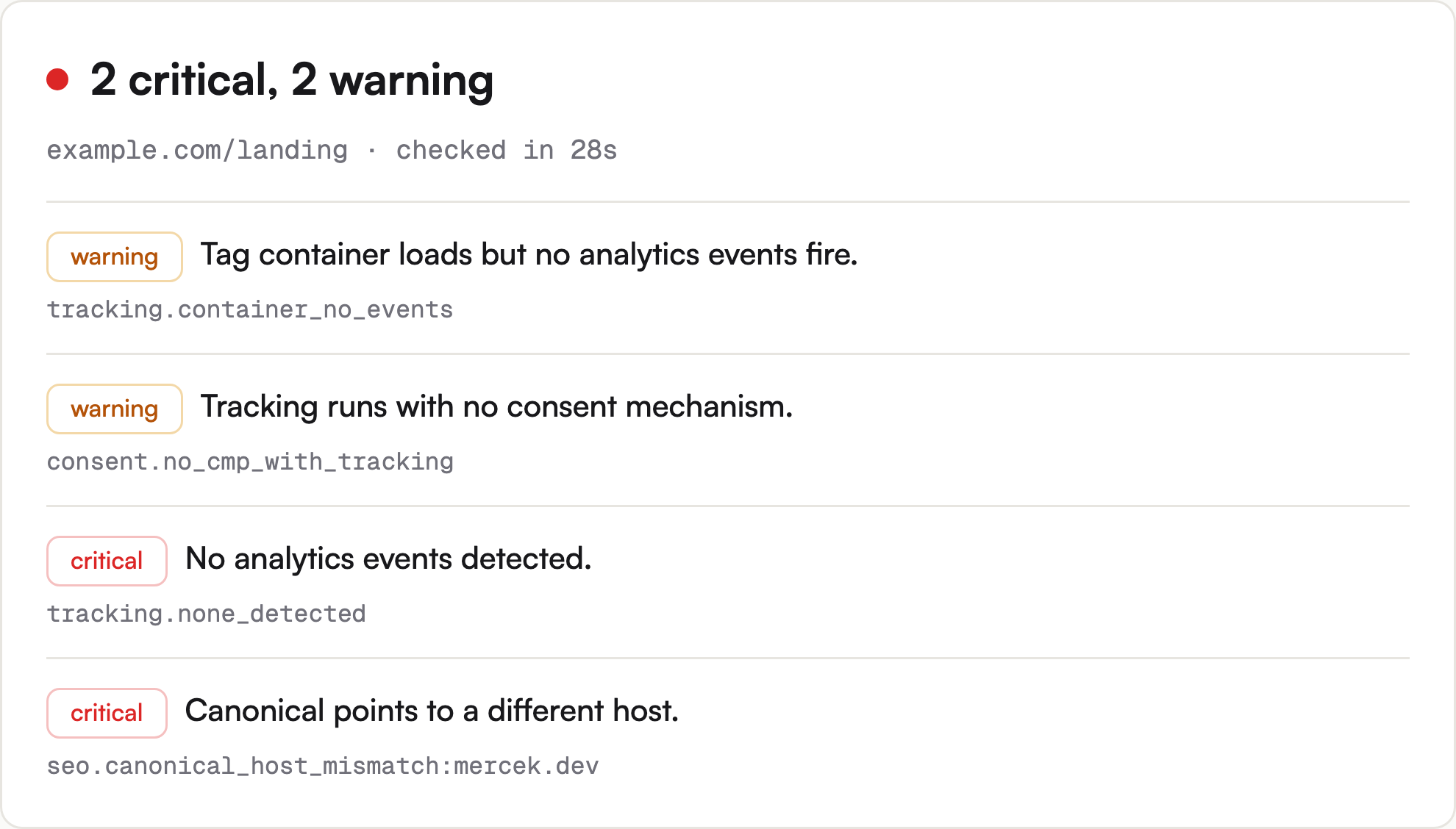
tracking.container_no_events · dev-tools site · 2026-06-11 13:41 UTC
Your GTM or gtag container is on the page, but no events are firing. This is the post-deploy breakage most often caused by hardcoded + GTM dueling, or by an upstream config push that disabled the trigger. Run the audit again in a private window to confirm — the GTM preview mode lies about this.
consent.no_cmp_with_tracking · dev-tools site · 2026-06-11 13:41 UTC
GA4 and at least one other tracker fire without a consent banner. GDPR/ePrivacy exposure if your audience includes EU/UK visitors. Whether that applies depends on your audience, but the absence of any consent mechanism is the highest-risk pattern in the cohort. (Advisory tier; we cannot verify which CMP is in use without recognizing it.)
tracking.none_detected · OSS project · 2026-06-11 13:41 UTC
The signature table is incomplete by design (new vendors, first-party collectors, region-specific endpoints) — so "no analytics events detected" is rendered as advisory, not verified. Run the audit in a private window to confirm. The most common pattern in the cohort; found in 30+ of the 50+ Show HN audits.
seo.canonical_host_mismatch:mercek.dev · dev-tools site · 2026-06-11 13:41 UTC
The page's canonical link points to a different domain. Search engines and analytics attribute incorrectly. The kind of silent failure that causes 'why is my conversion attribution wrong?' without obvious cause.
Frequently asked questions
Honest answers to the questions marketers actually ask before they run the audit — the ones we hear on calls and the ones that come up in the comparison threads.
Do you see my users' data, or just my page?
Prufa fetches your public URL the way a new visitor would, with a fresh anonymous browser session. It records the network requests, console errors, and the page's rendered DOM — never your users' inputs, never your forms, never session cookies. The report is unlisted by default, carries a noindex tag so it doesn't appear in search, and only people with the link can open it.
How is this different from Google Analytics DebugView?
DebugView shows what fired on your machine, on your login, in your browser session. Prufa runs a fresh anonymous browser against your public URL — the same way a new visitor sees it — and reports what fired before the consent banner was even on screen, what didn't fire at all, and what the canonical URL is pointing at. The free audit runs the page-health subset of the same engine that drives paid monitoring.
How is this different from a manual QA checklist or a site crawler like Screaming Frog?
A crawler reads your HTML and tells you what's missing. A manual checklist tells you what to remember to check. Prufa runs the page in a real browser, replays your consent banner's accept / reject flows, and machine-verifies whether each tag actually fired on the network. The audit log is the evidence trail. Of the 49 Show HN launches we audited in June 2026, 38 had a critical bug a crawler would not have caught.
Is this only for marketers, or do dev teams use Prufa too?
Marketing checks are a subset of what Prufa verifies. The same engine runs end-to-end checks on signup, login, and checkout flows in a real browser and machine-verifies the outcome — that's the actual product. The free audit you get on this page covers the page-health subset; the rest lives on the homepage and in the dashboard. Marketing teams use the free audit; dev teams use the flow engine.
What was the most common bug in your June 2026 audit of 49 Show HN launches?
Broken analytics. 38 of the 49 launches sent no analytics events at all — the page loaded but no tracking request ever left it. Three more loaded a tag container that never fired an event, which passes a view-source check but fails a network-traffic check. Together that's 78% of the cohort with a critical marketing bug on day one, and none of them knew until they ran the audit.
Then keep it that way
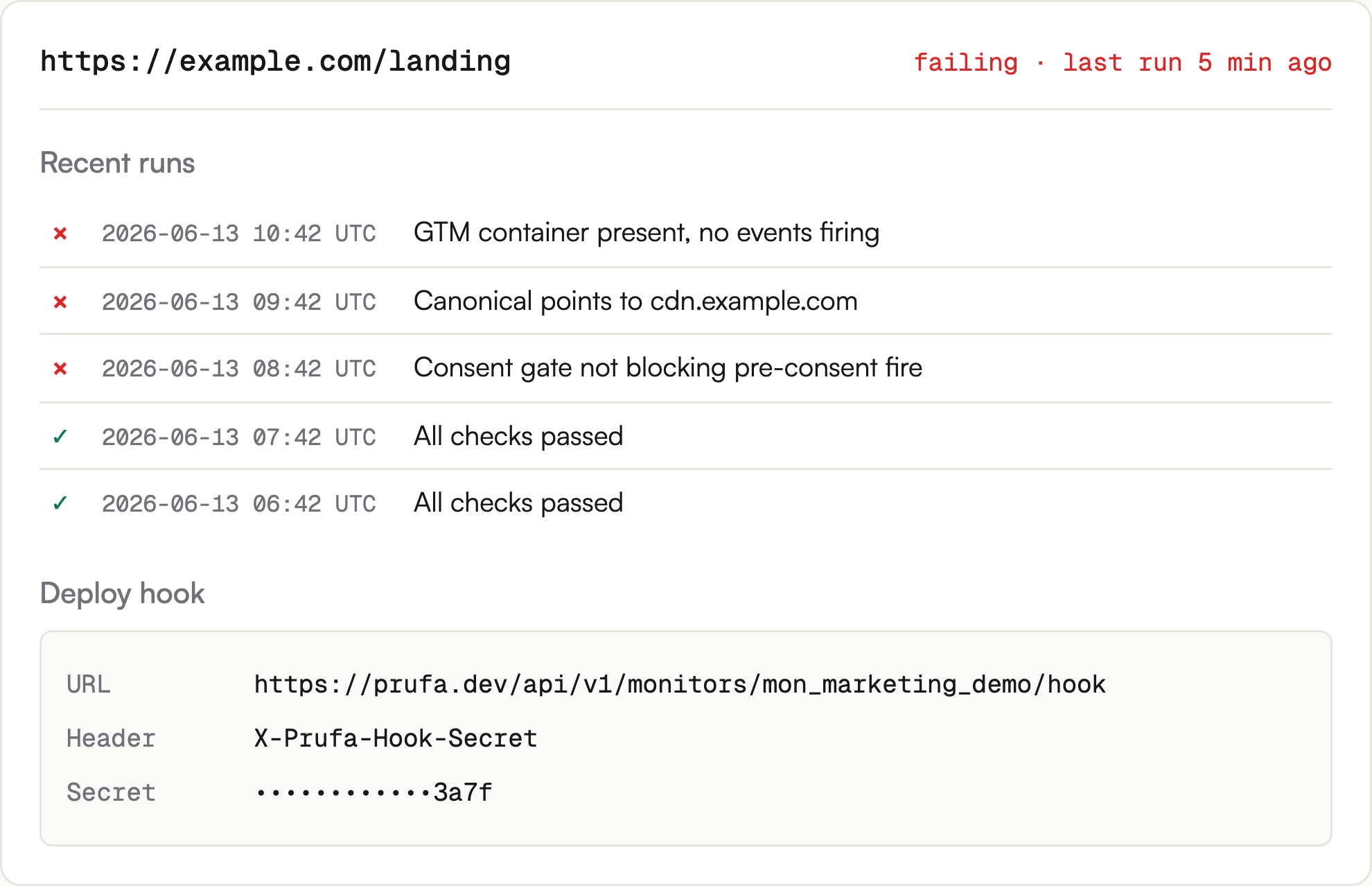
The free audit is step one: it shows you what Prufa sees on a single run. Monitoring is the product: the same checks re-run on every deploy, and you get an alert the moment any of them change.
The free audit is step one: it shows you what Prufa sees. Monitoring is the product: you stop checking, Prufa doesn't. The same checks re-run on every deploy, on a schedule you pick, with an alert the moment something changes.
Watch this URL on every deploy — plans start at $29/mo.
See what Prufa sees.
60 seconds, free, no signup. The report is yours to share.